How to Change Your Email Password on DirectAdmin

Changing Your Email Account Password


1. Log in to DirectAdmin.

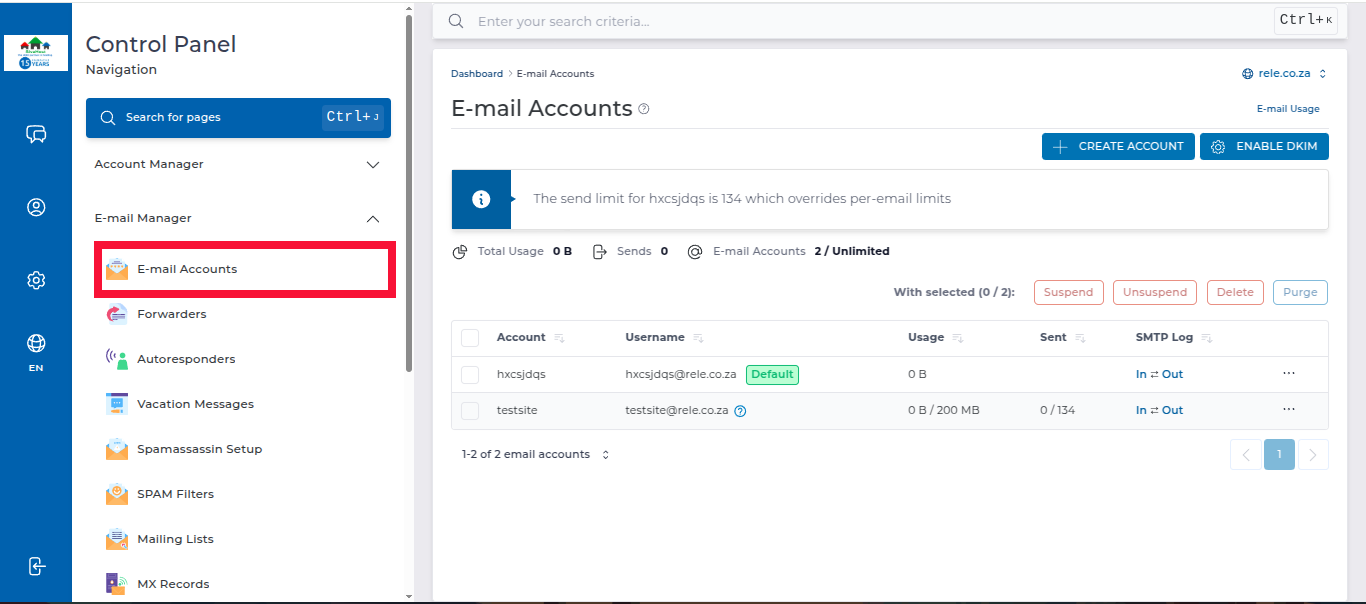
2. In the left panel menu, click on the Email Manager dropdown arrow, then select Email Accounts.
https://sive.host/titfombe/repository/26pass1.png

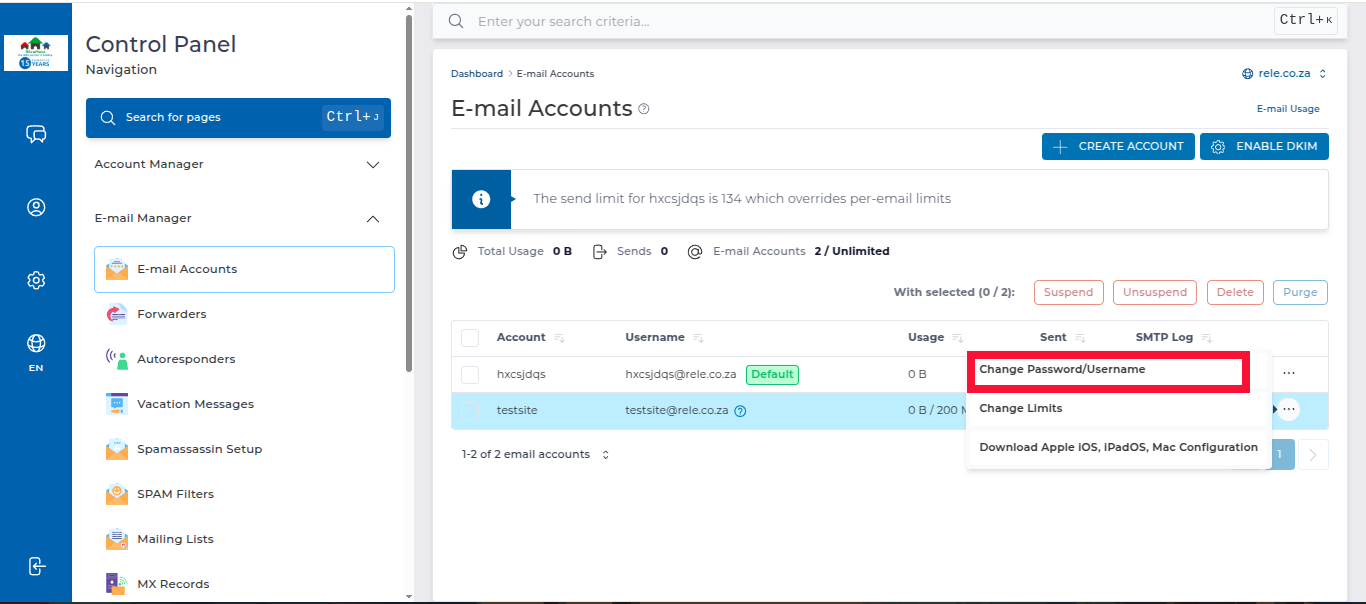
3. On the Email Accounts page, locate the email account you want to make changes to, then click on the 3 dots on the far right and select Password/Username.
https://sive.host/titfombe/repository/26pass2.png

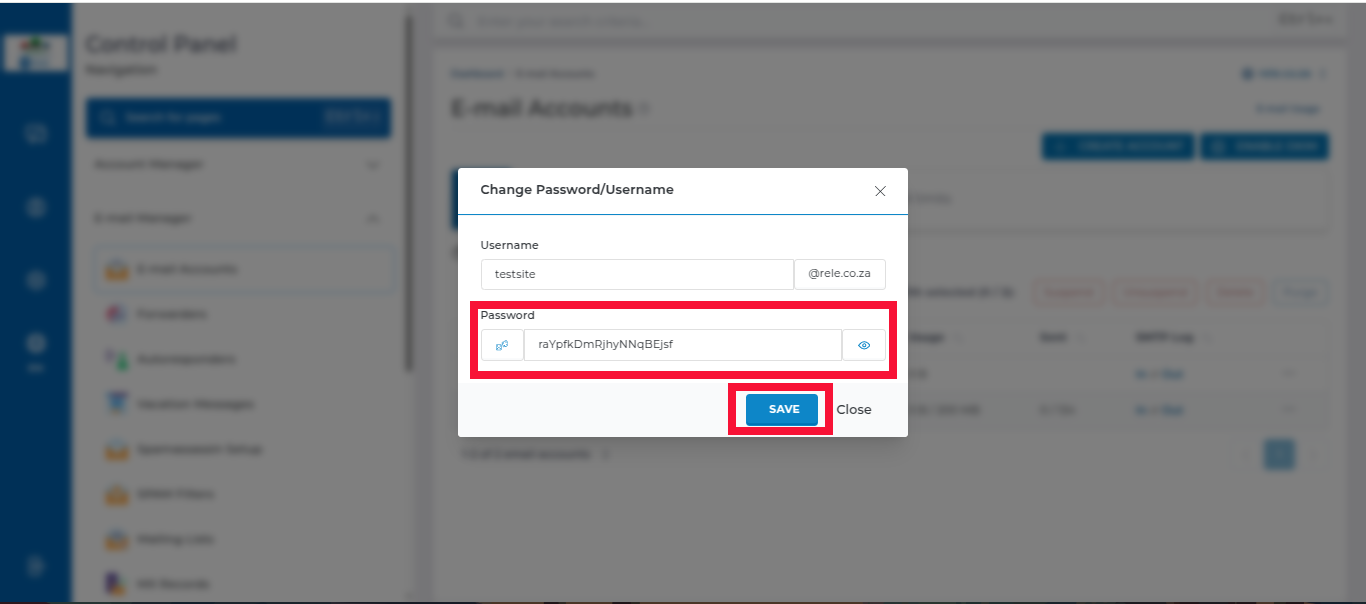
4. Enter the new password and click Save to apply the new password.
https://sive.host/titfombe/repository/26pass3.png

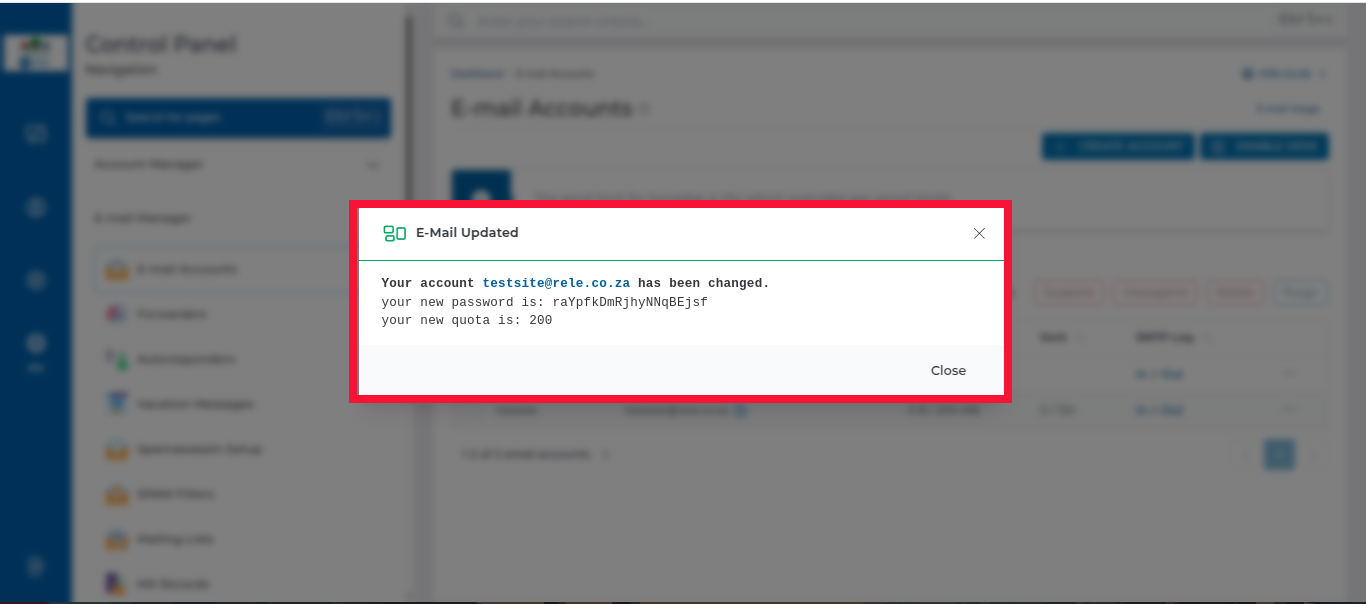
5. You will then see a pop-up window with the changes you have made
https://sive.host/titfombe/repository/26pass4.png

  • 0 Користувачі, які знайшли це корисним
Ця відповідь Вам допомогла?

Схожі статті

How to Log in to DirectAdmin

After you place an order and make a successful payment, you will receive a welcome email...

How to Log Into DirectAdmin From the Client Area

How do I log into DirectAdmin We begin to login at the Portal Home. This is the Login Page for...

How to Create Emails in DirectAdmin

Creating an Email in DirectAdmin 1. Log in to DirectAdmin. 2. In the left panel menu, click the...