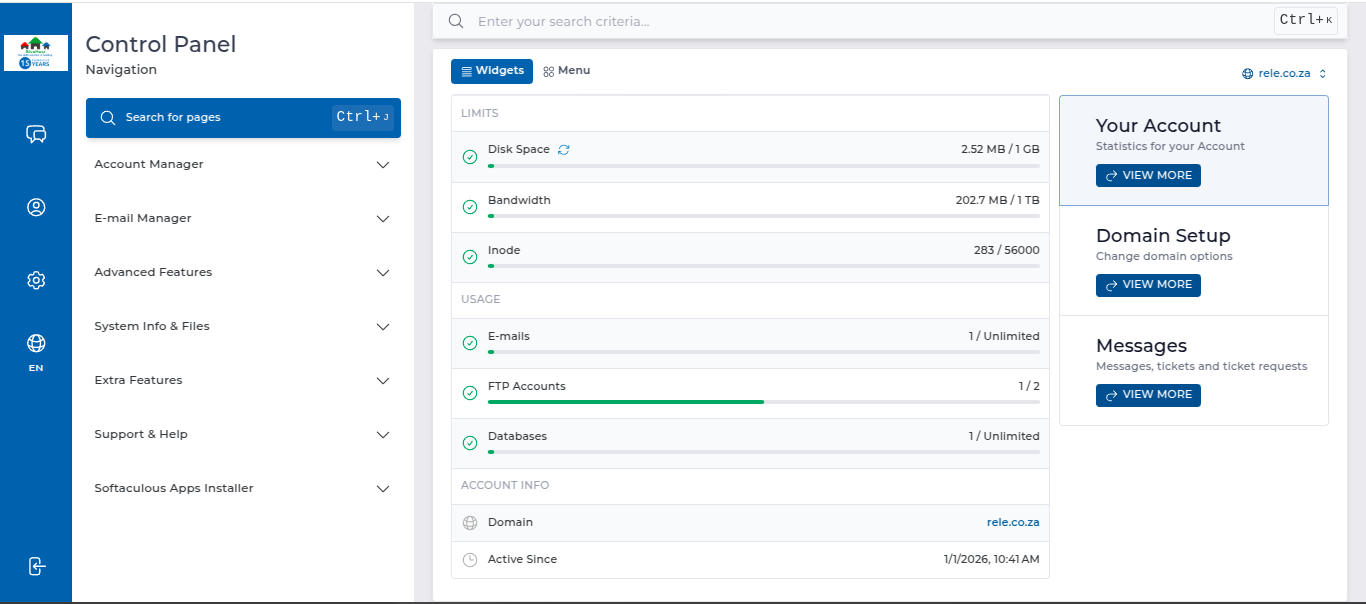
How to Log Into DirectAdmin From the Client Area

How do I log into DirectAdmin

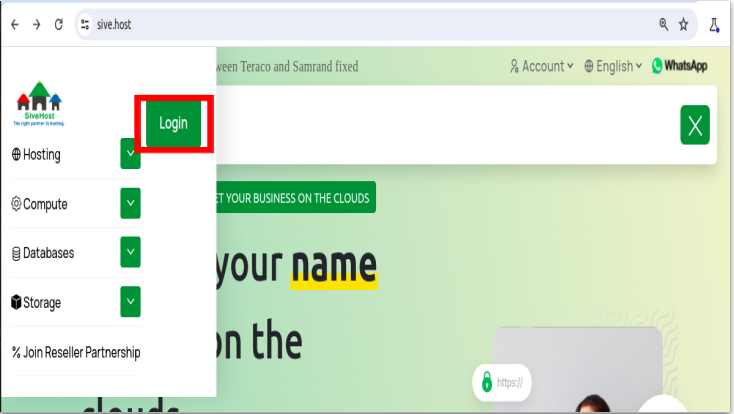
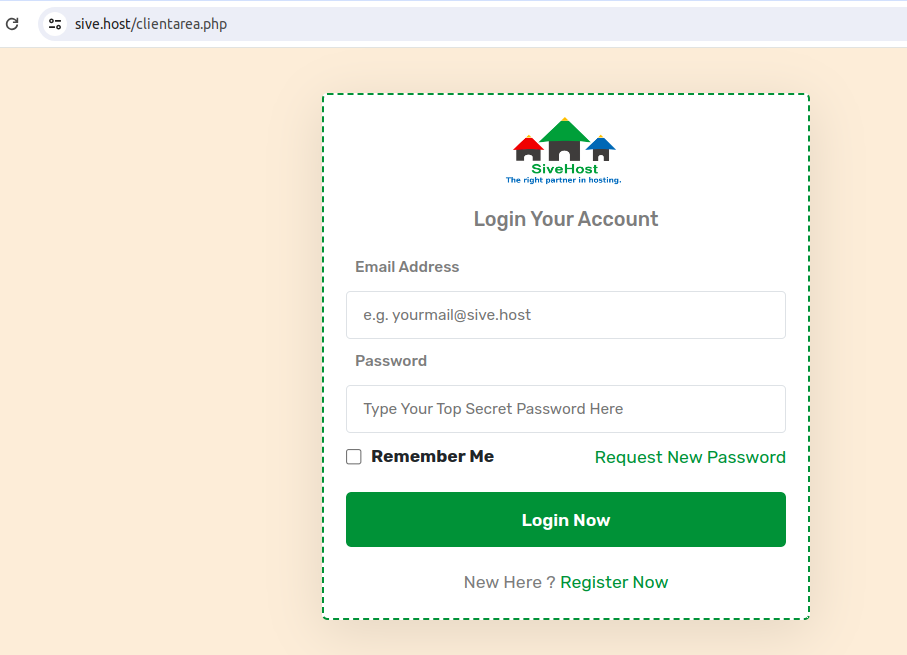
We begin to login at the Portal Home. This is the Login Page for the Client Area. It contains a line for the email address and a password. They

are different than the login details for your DirectAdmin. 

Click on LOGIN, enter your email address then enter your Client Area Password. Now click on Login Now. That's all. You are now logged in to your client area and can begin to manage your hosting services, invoices, billing information, and more.
https://sive.host/titfombe/repository/Screenshot%20from%202024-05-28%2013-12-12.png

https://sive.host/titfombe/repository/Screenshot%20from%202024-05-28%2011-27-58.png

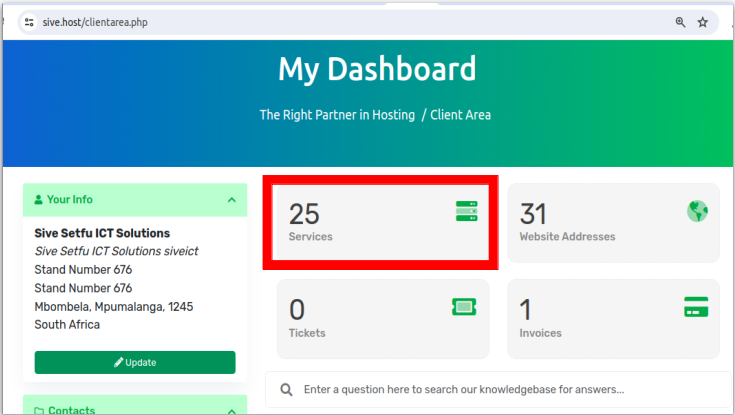
To proceed, click on Services below My Dashboard.
https://sive.host/titfombe/repository/Screenshot%20from%202024-05-28%2013-12-56.png

On the Product/Service list, click on ACTIVE next to the domain you want to access the control panel of.
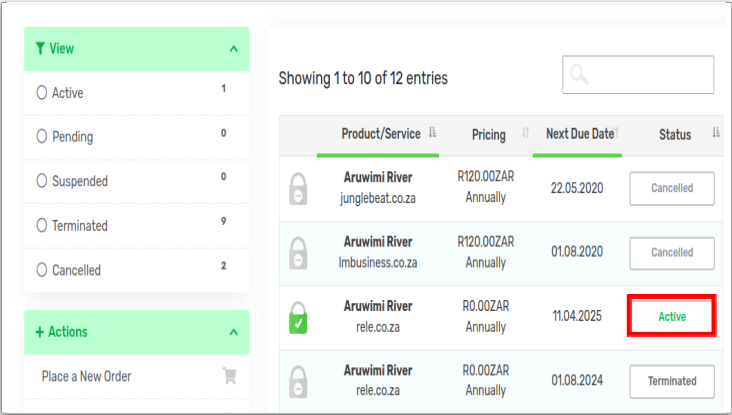
https://sive.host/titfombe/repository/Screenshot%20from%202024-05-28%2013-14-58.png

And from there, scroll to almost the bottom and click on Login To DirectAdmin.
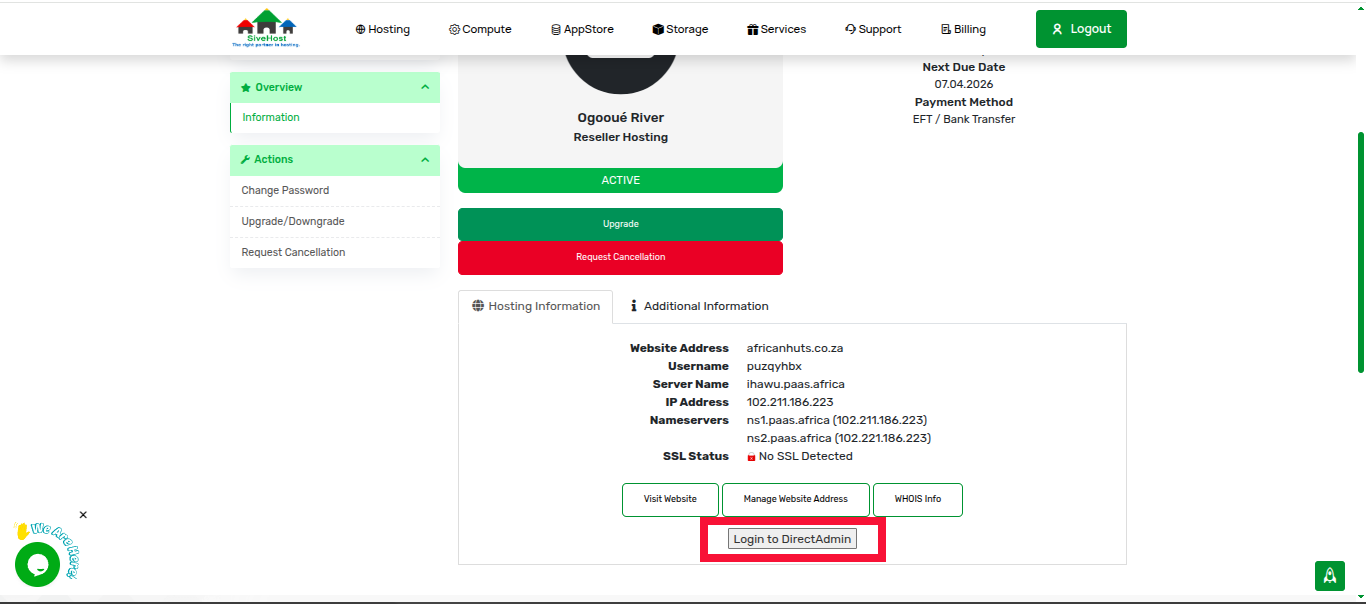
https://sive.host/titfombe/repository/direct2.png

https://sive.host/titfombe/repository/direct1.png


That's all.


  • 0 Users Found This Useful
Was this answer helpful?

Related Articles

How to Log in to DirectAdmin

After you place an order and make a successful payment, you will receive a welcome email...

How to Create Emails in DirectAdmin

Creating an Email in DirectAdmin 1. Log in to DirectAdmin. 2. In the left panel menu, click the...

How to Change Your Email Password on DirectAdmin

Changing Your Email Account Password   1. Log in to DirectAdmin. 2. In the left panel menu,...