How to login to CWP

How do I login to control panel

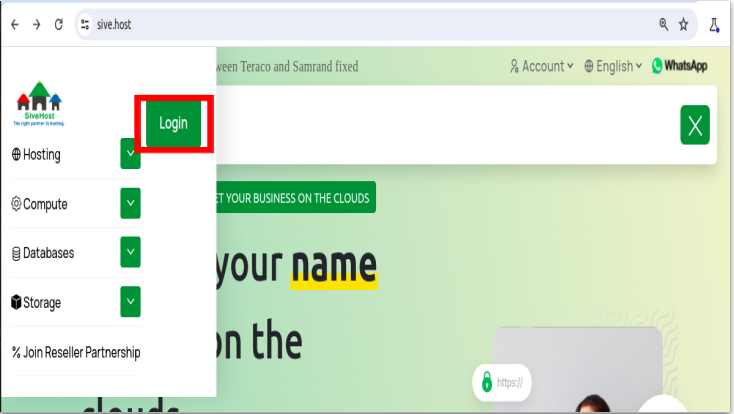
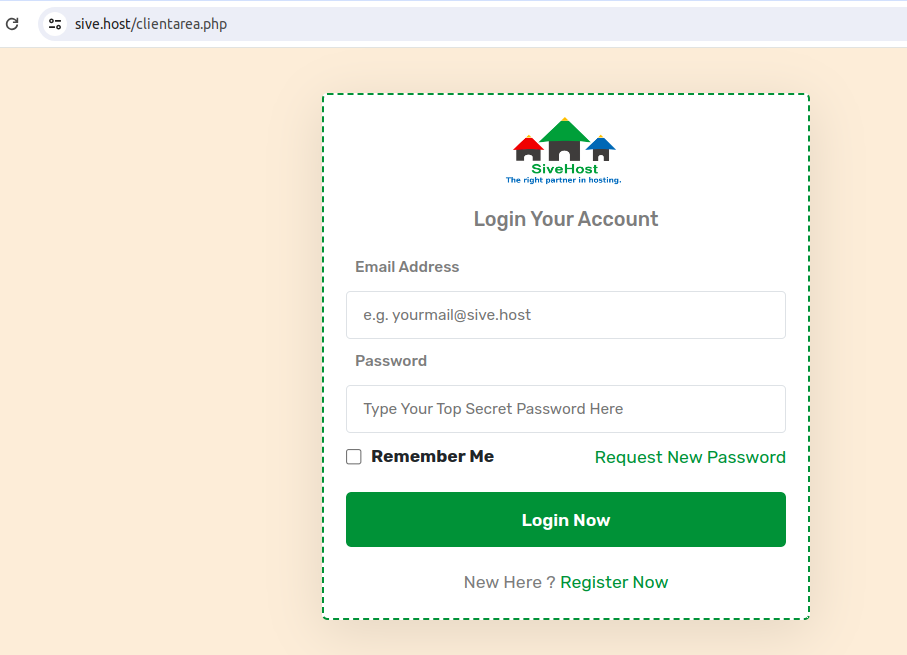
We begin to login at the Portal Home. This is the Login Page for the Client Area. It contains a line for the email address and a password. They

are different than the login details for your cPanel. 

Click on LOGIN, enter your email address then enter your Client Area Password. Now click on Login Now. That's all. You are now logged in to your client area and can begin to manage your hosting services, invoices, billing information, and more.
https://sive.host/titfombe/repository/Screenshot%20from%202024-05-28%2013-12-12.png

https://sive.host/titfombe/repository/Screenshot%20from%202024-05-28%2011-27-58.png

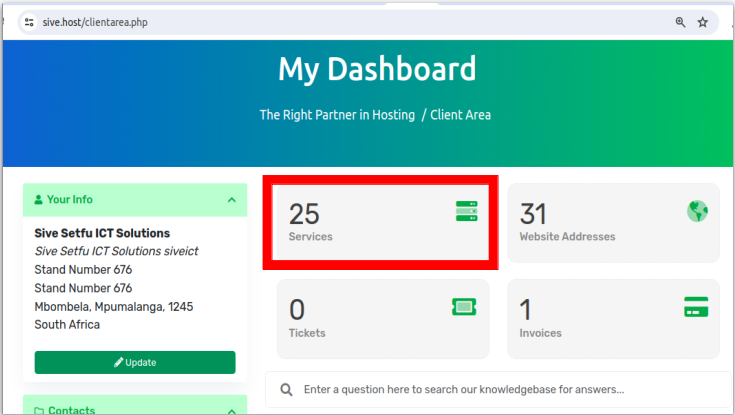
To proceed, click on Services below My Dashboard.
https://sive.host/titfombe/repository/Screenshot%20from%202024-05-28%2013-12-56.png

On the Product/Service list, click on ACTIVE next to the domain you want to access the control panel of.
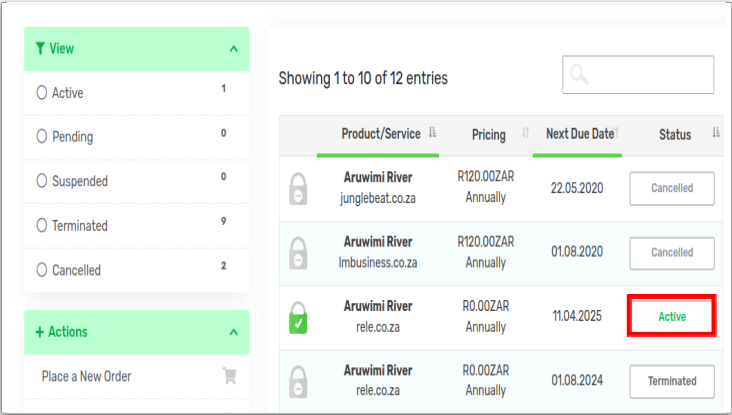
https://sive.host/titfombe/repository/Screenshot%20from%202024-05-28%2013-14-58.png

And from there, scroll to almost the bottom and click on Login To Control Panel.
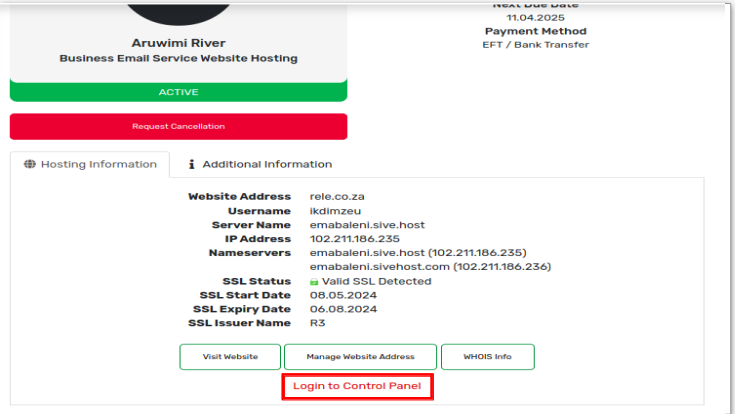
https://sive.host/titfombe/repository/Screenshot%20from%202024-05-28%2013-15-26.png

https://sive.host/titfombe/repository/Screenshot%20from%202024-05-28%2013-15-56.png

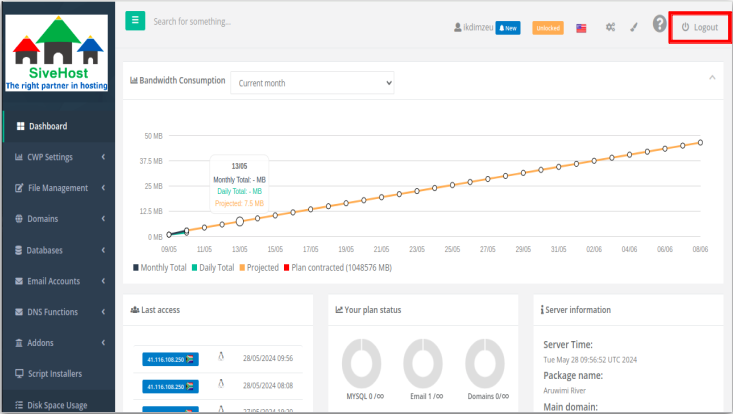
When you are done, click on Logout in the upper right corner. You are now logged out of the account.


That's all.


  • 0 användare blev hjälpta av detta svar
Hjälpte svaret dig?

Relaterade artiklar

How to create a support ticket

How to create a support ticket2. Click on 'LOGIN' and insert your email details3. On your...

Understanding the Status of Your Service (Active, Suspended, Terminated)

What does the status of my product and service mean?  Each product and service on your account...

How to View Details of Your Hosting Product

Want to check which plan you’re on, what domain it’s connected to, or when it renews? Here's how...

Understanding the “My Product & Services” Page

This is what you’ll see when you land on the “My Products and Services” page: Here’s a...

How to Reset Client Area Password

Please click here to see how to reset your client area password